DMARC Security: Securing Email With DMARC
A clear, practical guide from Capture The Bug on how DMARC protects your domain from impersonation and strengthens trust across every email you send.
Email is still the most common doorway attackers walk through. It is the channel customers trust, the tool employees rely on daily, and the simplest way for a criminal to impersonate a brand. As phishing and impersonation attacks grow more convincing, businesses need a way to prove their emails are real and block the ones pretending to be them.
That is where DMARC becomes indispensable. Capture The Bug works with security leaders across ANZ and the United States, and one pattern appears everywhere. Organizations worry about the vulnerability in their product, yet overlook one of the easiest attack paths to exploit. Their domain.
This guide breaks down DMARC in the way Capture The Bug explains it to founders, CTOs, CISOs, and fast growing SaaS teams. Clear. Tactical. No textbook jargon. Just what you need to know, why it matters, and how to put it in place without disrupting your business.
What DMARC Actually Does
DMARC stands for Domain based Message Authentication Reporting and Conformance. In simple terms, it tells receiving email servers how to judge messages that claim to come from your domain.
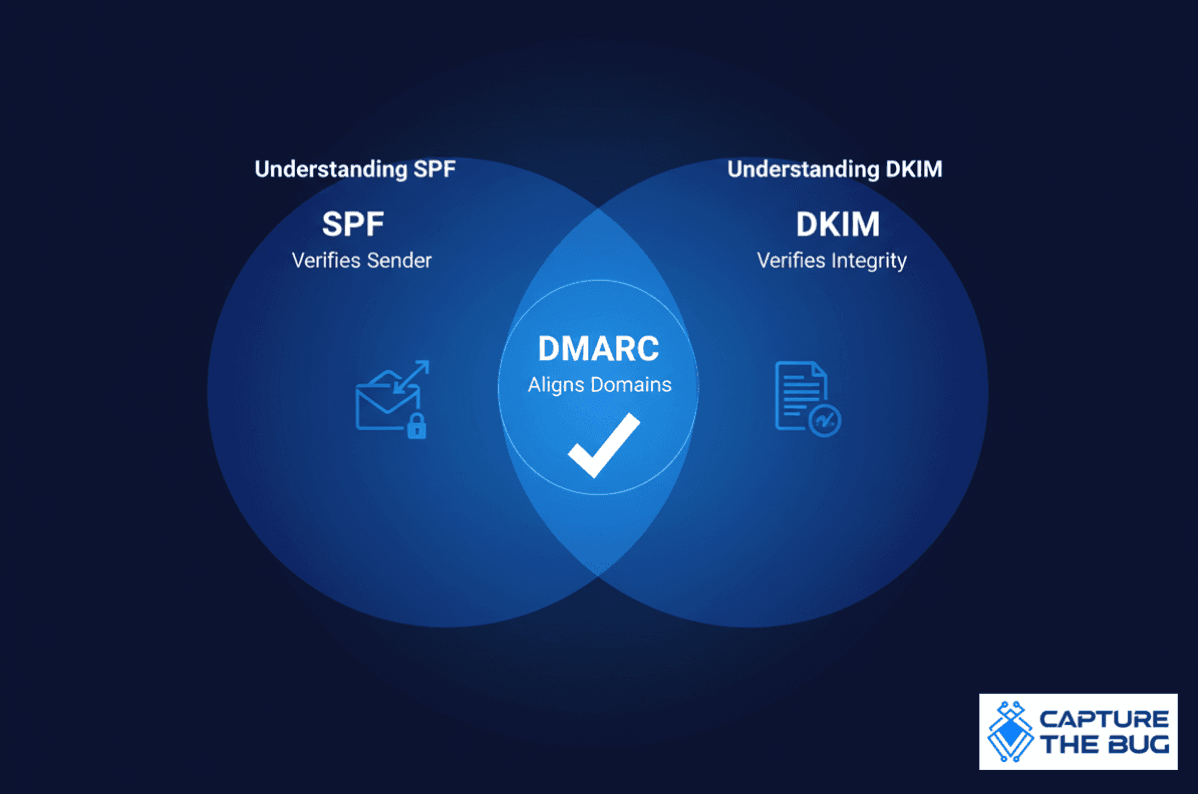
It builds on two existing controls
- SPF verifies who is allowed to send email for your domain.
- DKIM verifies that the message was not altered and was signed by a trusted key.
DMARC adds the missing piece. Alignment. This ensures the domain shown to the user matches the domain that is authenticated behind the scenes. Attackers often rely on the fact that people trust what they see. DMARC closes that gap by giving mailbox providers rules to follow when they detect mismatched or suspicious messages.
With DMARC in place, an organization can
- Protect customers from spoofed emails
- Improve deliverability for legitimate messages
- Receive detailed reports about who is using their domain
- Block impersonation attempts before they reach inboxes
For fast moving teams, DMARC becomes a quiet but powerful defence. It lets you own your domain reputation instead of letting attackers borrow it.
Why DMARC Matters More Today
Capture The Bug sees DMARC conversations happening earlier in the security journey than ever before. The reason is simple. Mailbox providers now expect it.
Google and Yahoo have made DMARC a requirement for bulk senders. Marketing teams need it. Finance teams need it. Customer support teams need it. Deliverability depends on it.
More importantly, impersonation is easier than ever. Attackers do not need to break into systems if they can trick someone into trusting a fake message. A convincing invoice request. A cloned support notice. A message pretending to be a founder.
Employees cannot reliably distinguish real from fake. Customers cannot either. Even trained teams fall for well crafted messages.
DMARC gives domain owners a way to set the rules. It tells receivers exactly how to treat mail that claims to be from you but does not meet your requirements. For many businesses, this becomes the first meaningful barrier against impersonation.
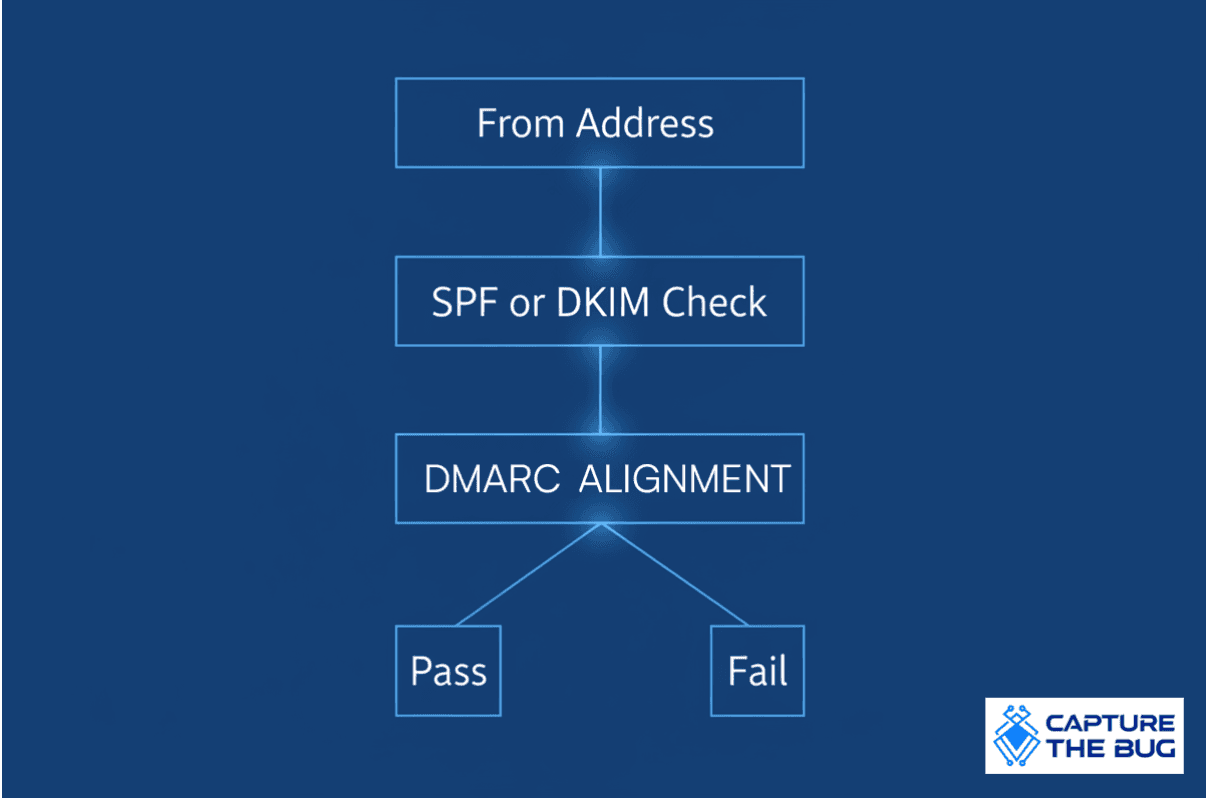
How DMARC Makes Its Decision
DMARC evaluates two checks
- SPF result plus alignment.
- DKIM result plus alignment.
Only one needs to pass and align for DMARC to consider the message legitimate.
Here is the real value. Alignment is what blocks attackers. Without alignment, someone could send a perfectly authenticated message from a different domain while displaying your brand in the visible From field. DMARC stops that by tying the authentication domain to the domain your users see.
This is why DMARC provides far stronger protection than SPF or DKIM alone.
Understanding SPF Clearly
SPF allows you to list which servers or services can send mail on behalf of your domain. It is a simple TXT record placed in DNS.
When a receiving server checks SPF, it is asking one question.
Is this sender allowed to send mail for this domain
A good SPF record is short, clean, and includes only the services your organization actually uses. Capture The Bug often sees bloated SPF records created by years of unused marketing tools or forgotten integrations. Simplifying your SPF record improves reliability and reduces the chance of accidental failure.
Two important notes
- SPF breaks when mail is forwarded because the sending IP changes.
- SPF has a lookup limit, so too many include statements can cause failures.
During rollout, soft fail is acceptable. Once confident, hard fail is the goal.
Understanding DKIM Clearly
DKIM works by signing outgoing messages using a private key stored with your email provider. The corresponding public key lives in your DNS. Receiving servers check that signature to confirm the message has not been altered and that the domain signing the message is legitimate.
DKIM is valuable because it survives forwarding. Even if the message passes through several systems, the signature remains intact.
For modern security, Capture The Bug recommends using 2048 bit keys. They are stronger, widely supported, and aligned with current industry expectations.
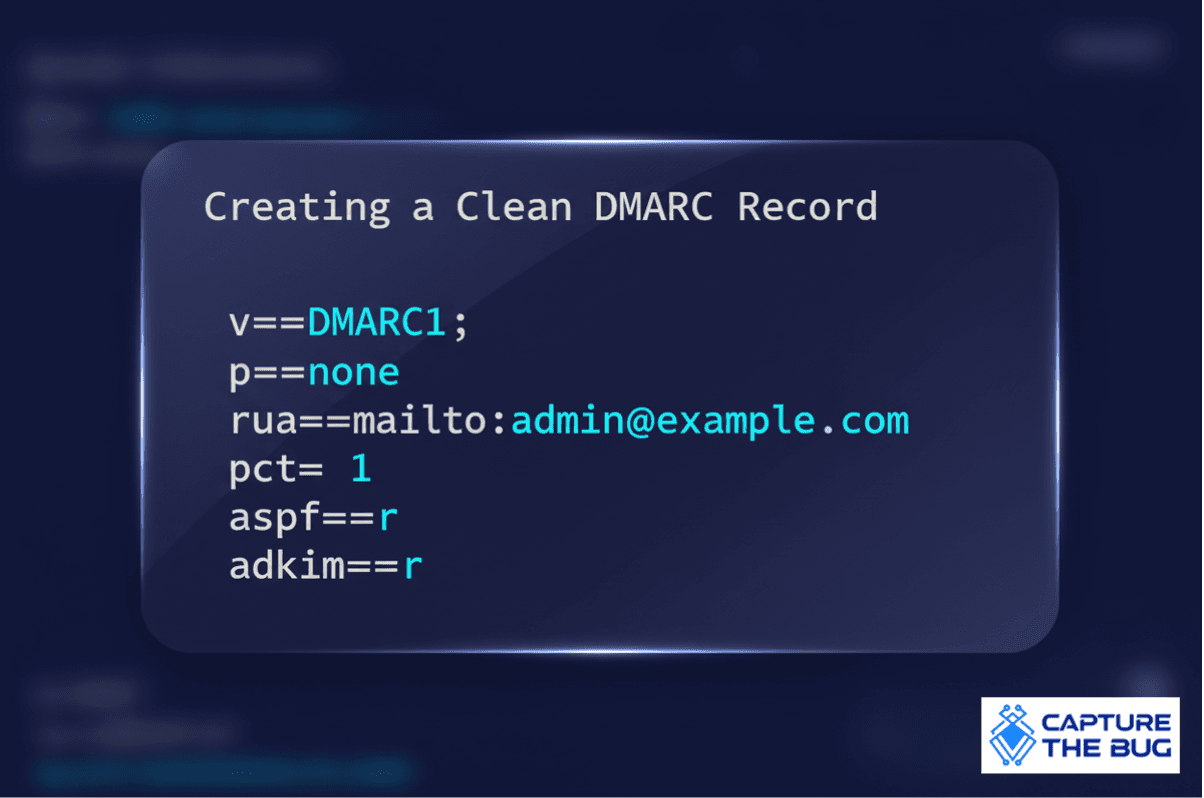
Creating a Clean DMARC Record
A basic DMARC record looks like this
vDMARC1 pnone ruamailtoadminexamplecom
This record tells receivers to monitor and report, but not yet enforce anything. It allows organizations to understand their mail flows, identify unexpected senders, and confirm SPF and DKIM alignment before applying stricter policies.
The most useful tags are
- v version
- p policy none, quarantine, or reject
- rua address for aggregate reports
- pct percentage of traffic the policy applies to
- aspf alignment mode for SPF
- adkim alignment mode for DKIM
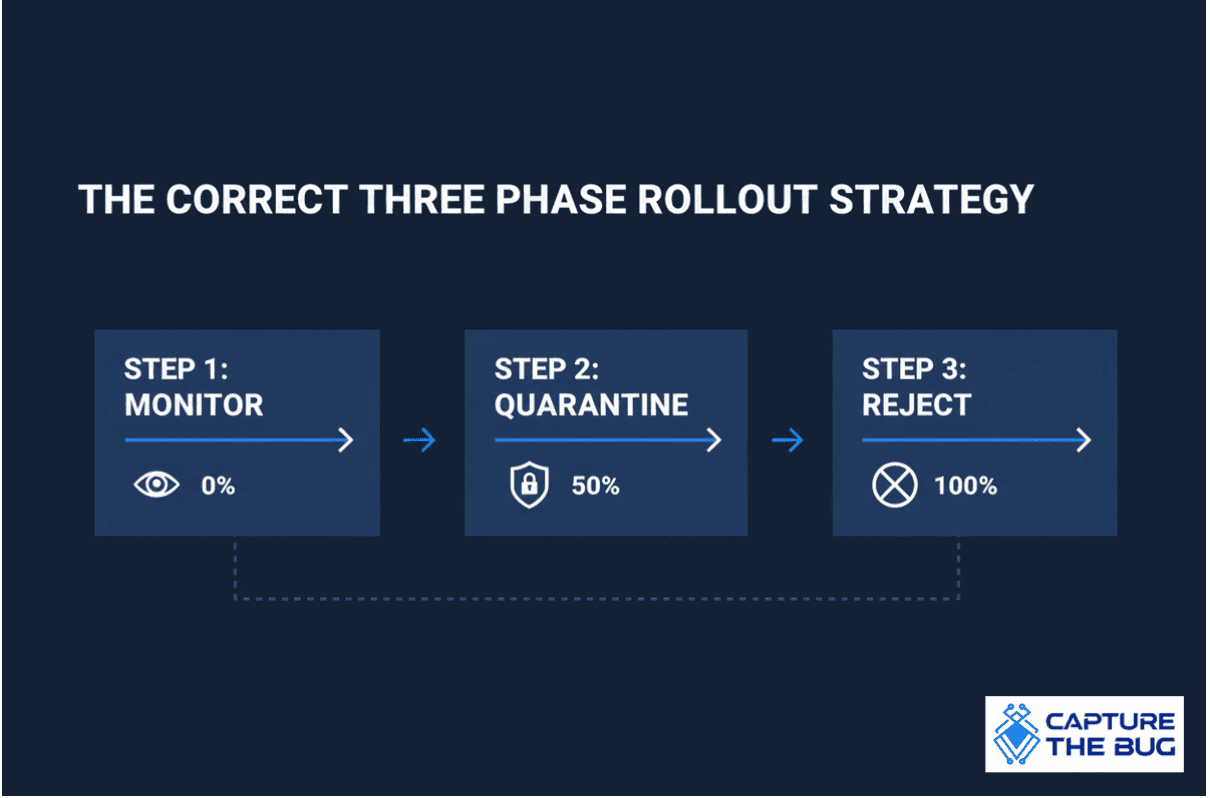
The Correct Three Phase Rollout Strategy
Capture The Bug recommends a three stage rollout that reduces risk while moving toward full enforcement.
Phase One Monitor
Start with a policy of none. Let reports flow in. Confirm that all legitimate services are authenticating correctly. Many businesses discover forgotten newsletters, sales tools, invoice systems, or legacy integrations sending messages under their domain. This phase provides visibility without interrupting mail delivery.
Phase Two Quarantine
Once confident, move to quarantine. Start with a very small pct value such as one percent. This sends a sample of failing messages to spam instead of the inbox. Gradually increase the percentage as false positives disappear. By the end of this phase, most organizations reach full enforcement within spam filtering.
Phase Three Reject
The final stage instructs receivers to reject messages that fail DMARC. This is the strongest defence against impersonation. It prevents spoofed mail from reaching any inbox. Capture The Bug encourages organizations to move to full reject once monitoring and quarantine reports show no unexpected failures.
How To Add DMARC to Your DNS
Adding DMARC is straightforward.
- Create a new TXT record.
- Name it underscore dmarc.
- Paste your DMARC policy into the value field.
- Publish the record and allow time for propagation.
Within a few hours, aggregate reports will begin delivering to the email address specified in the rua tag. These reports provide insight into all mail activity using your domain, including legitimate traffic and attempted misuse.
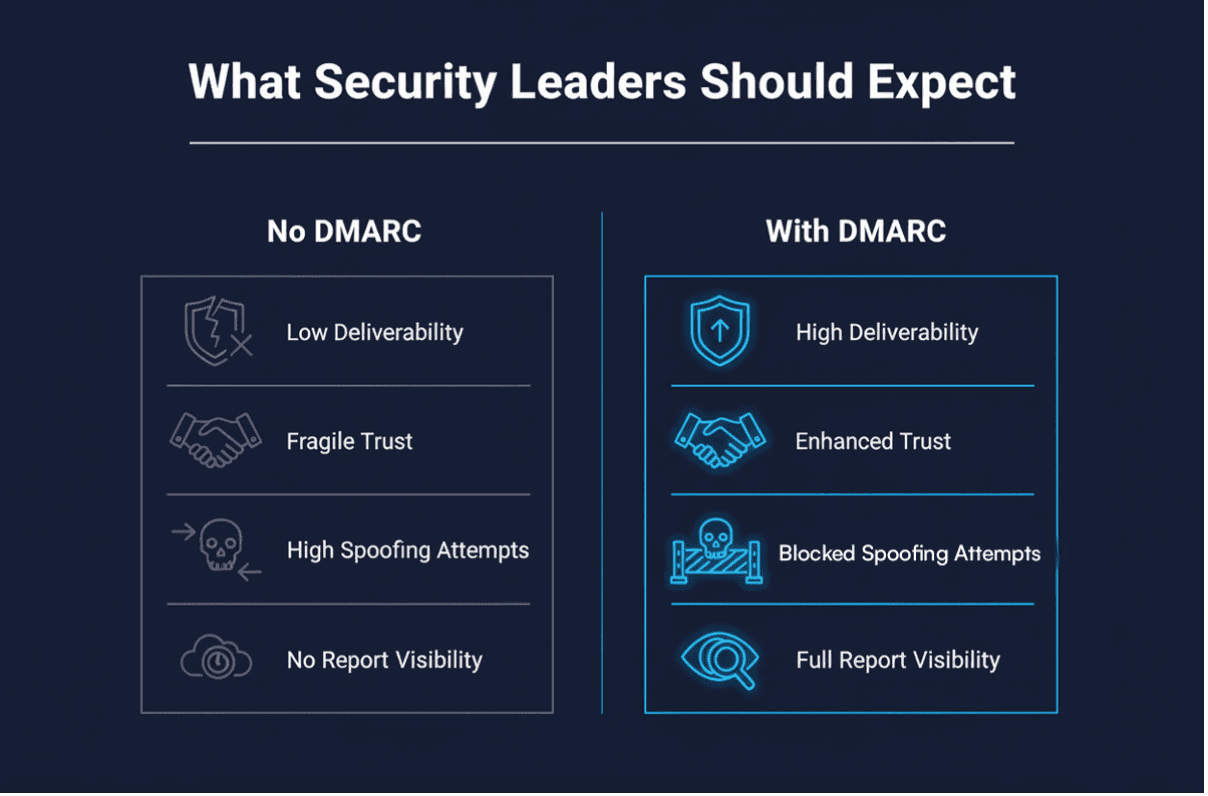
What Security Leaders Should Expect After Enabling DMARC
Organizations notice three outcomes almost immediately.
- Cleaner mail traffic because spoofed messages no longer slip into customer inboxes.
- Better deliverability because mailbox providers trust authenticated mail.
- Greater visibility because DMARC reports show every sending service touching your domain.
This visibility becomes valuable during due diligence, vendor assessments, and internal audits. When leadership asks how the organization prevents domain impersonation, DMARC provides a concrete, measurable answer.
Why Capture The Bug Encourages Every Team To Enable DMARC
Phishing attempts are more convincing than ever. Attackers no longer rely on clumsy errors or poorly written messages. They study brands. They mimic tone. They replicate templates. Without DMARC, your brand becomes an easy target.
For fast growing SaaS companies, regulated firms, and teams managing sensitive customer data, DMARC is not a nice to have. It is foundational.
It protects customers.
It protects brand reputation.
It signals maturity during security reviews.
And it reduces the simplest attack path your team cannot afford to ignore.
Capture The Bug views DMARC as one of the rare security controls that offers high protection with minimal operational cost. Once configured properly, it strengthens trust without slowing the business.
Final Thoughts
Security is not only about hardened infrastructure. It is also about the trust customers place in every message your organization sends. DMARC reinforces that trust by preventing attackers from impersonating your brand.
When implemented in stages and aligned with SPF and DKIM, DMARC becomes a powerful shield against impersonation, phishing, and fraudulent communication. It provides clarity for mailbox providers, certainty for customers, and peace of mind for leadership teams.
Capture The Bug encourages every organization to adopt DMARC fully. It is one of the simplest ways to reduce risk, strengthen credibility, and protect the identity of your domain.
FAQ
What is DMARC
DMARC is a protocol that helps receiving mail servers verify whether messages sent from your domain are legitimate and aligned with SPF or DKIM.
Does DMARC improve deliverability
Yes. Mailbox providers are more likely to trust and deliver messages when the domain has proper authentication policies.
Do all businesses need DMARC
Any organization sending customer facing email should enable DMARC, especially those vulnerable to impersonation attempts.
What happens if DMARC fails
The receiving server applies your chosen policy. It might monitor, send to spam, or reject the message entirely.
How long does a rollout take
Most businesses reach full enforcement within two to four weeks using the phased approach recommended above.